
A Link and a Code Is the Whole Sign-In
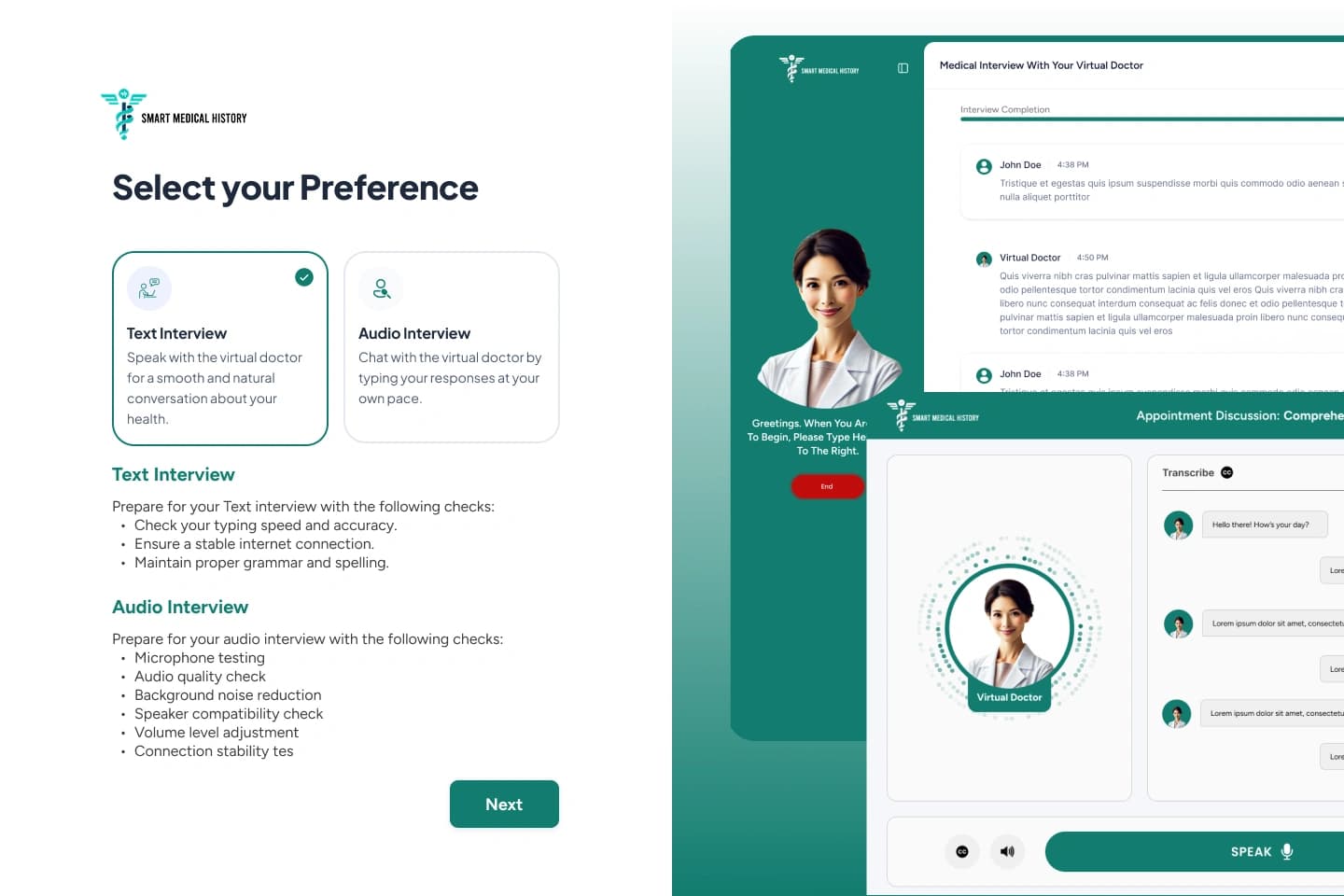
The patient taps the link in their email, gets a code by text or email, and starts. No password, nothing to remember, and the code is asked for again every time they come back.
Case study · Healthcare intake
SmartMedHx is an AI-assisted medical history platform Kodexo Labs built for its client: the patient answers by chat or voice call before the appointment, and the practice gets a structured, provider-reviewable report. No charting by hand, no patient account to create.
AI-run patient interviews
Healthcare providers
Compliant
01 · Overview
A staff member schedules an interview in minutes. The patient gets a link, verifies with a one-time code, and answers a guided medical history at their own pace, either typing or talking to a virtual doctor on a call. Nobody transcribes anything.
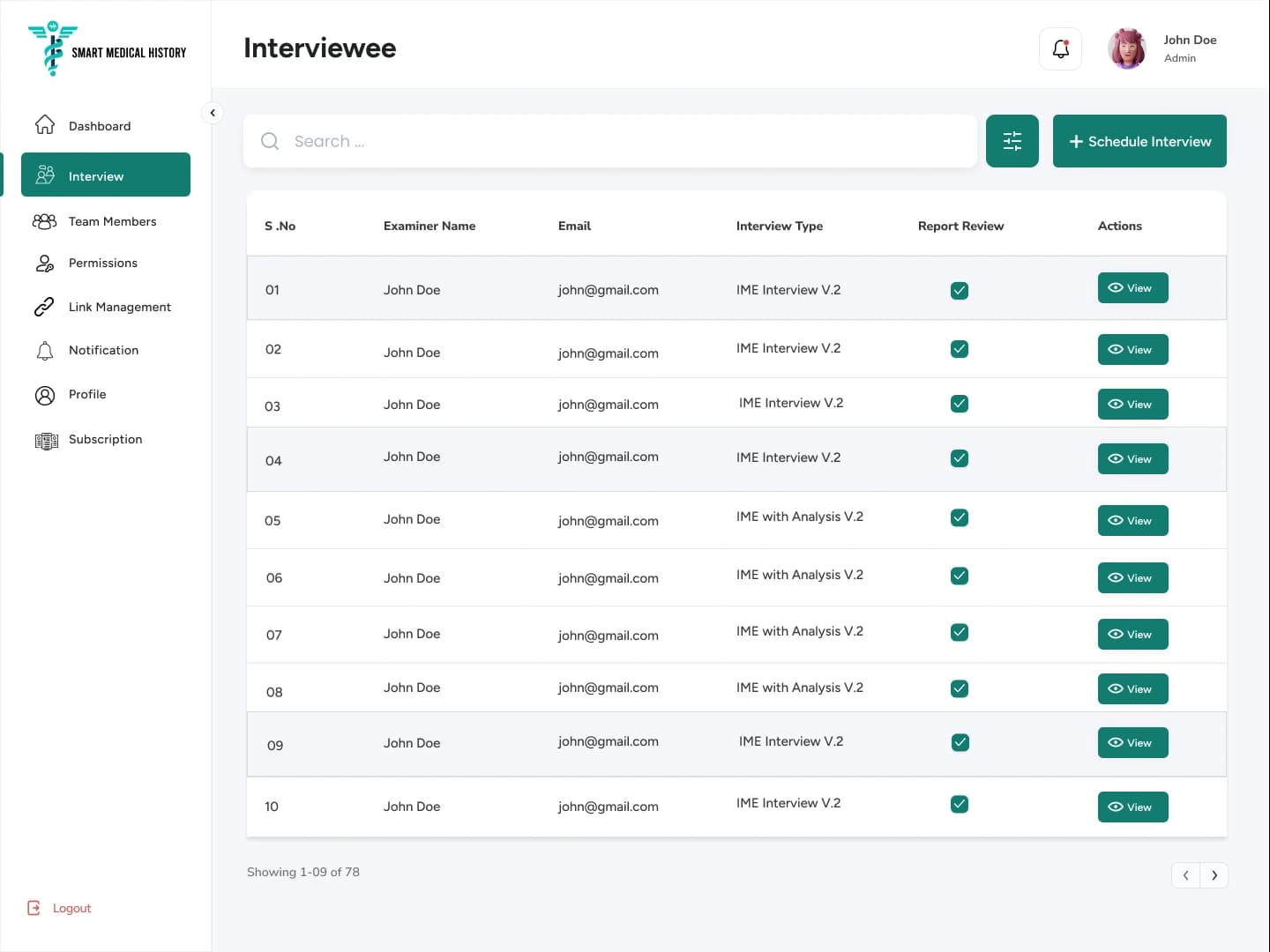
Every completed session becomes a structured report routed to one named provider, who reviews it, adds notes, and marks it reviewed. Solo practitioners and multi-provider organizations run the same workflow. What changes is who can see what.
02 · The Problem
A staff member sits with the patient and writes down the answers, section by section. It is slow, it comes out differently depending on who took it, and anything missed turns into another phone call. Six things had to be true before software could take that job over.
Ask a 68-year-old to register, pick a password, and confirm an email, and the intake never happens. It had to work from a single link, while still proving who is on the other end.
People answer on a phone, in a waiting room, and get interrupted. Taking a break, switching to a laptop, or losing signal has to pick up exactly where they stopped.
A medical history is not a shared document. Each report belongs to the one doctor it was scheduled for, and no practice can ever see another practice's records.
Offer only one way to answer and you lose the other half of patients. Both ways had to end in the same structured history, and the phone call had to show its words on screen as they were spoken.
A solo doctor just wants to send a link. A large group needs practice managers, staff, doctors, and roles they define themselves, without a second version of the software.
What the interview asks is clinical content, so edits cannot be casual. Every change needed a saved version, a per-practice setting, and a one-click way back to the previous wording.
03 · The Solution
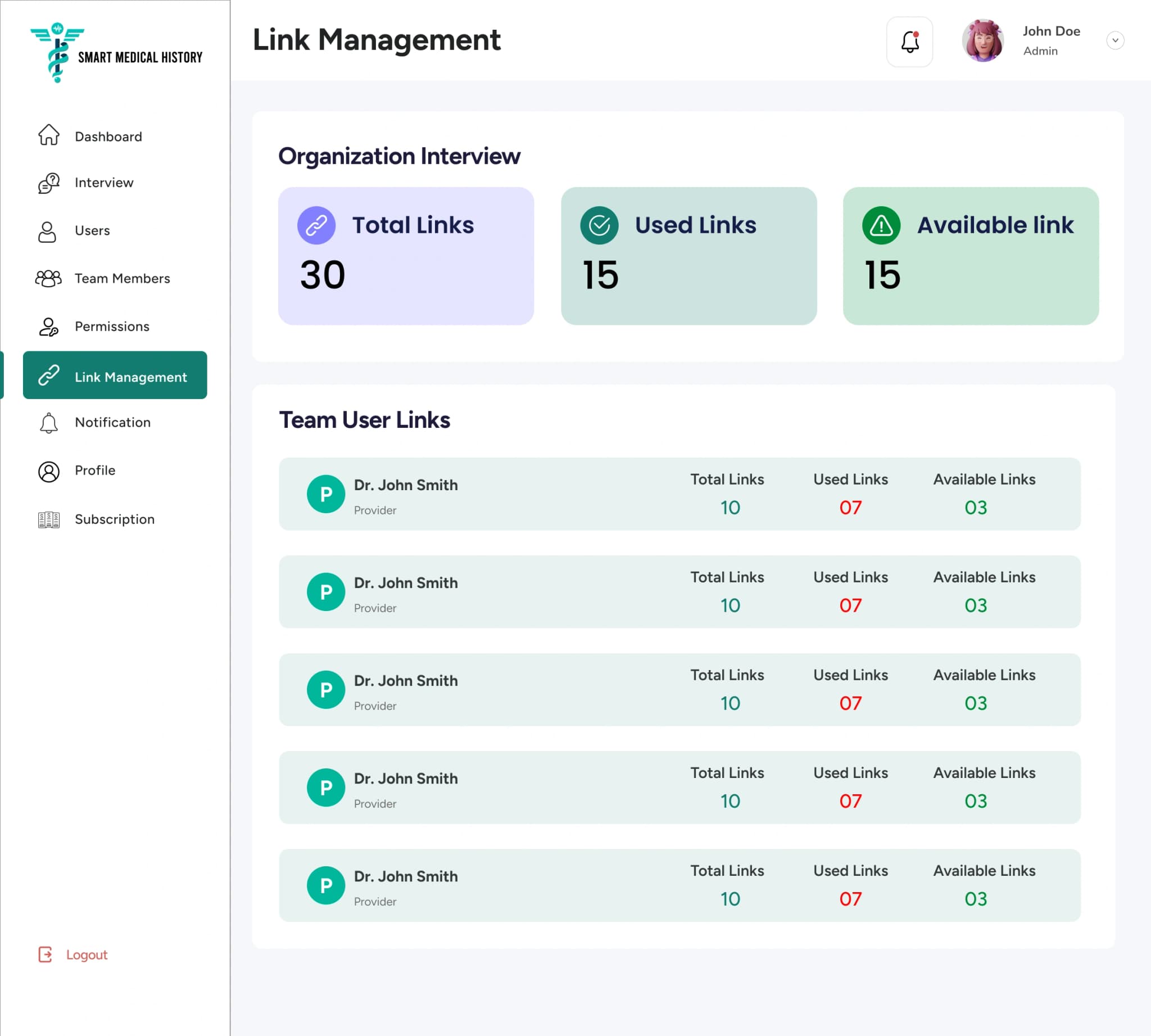
Five parts make that work: getting the patient in without an account, a chat they can walk away from, a call that writes itself down, a dashboard where nothing goes unnoticed between sent and reviewed, and controls that keep roles, credits, and clinical questions in the right hands.
The patient taps the link in their email, gets a code by text or email, and starts. No password, nothing to remember, and the code is asked for again every time they come back.
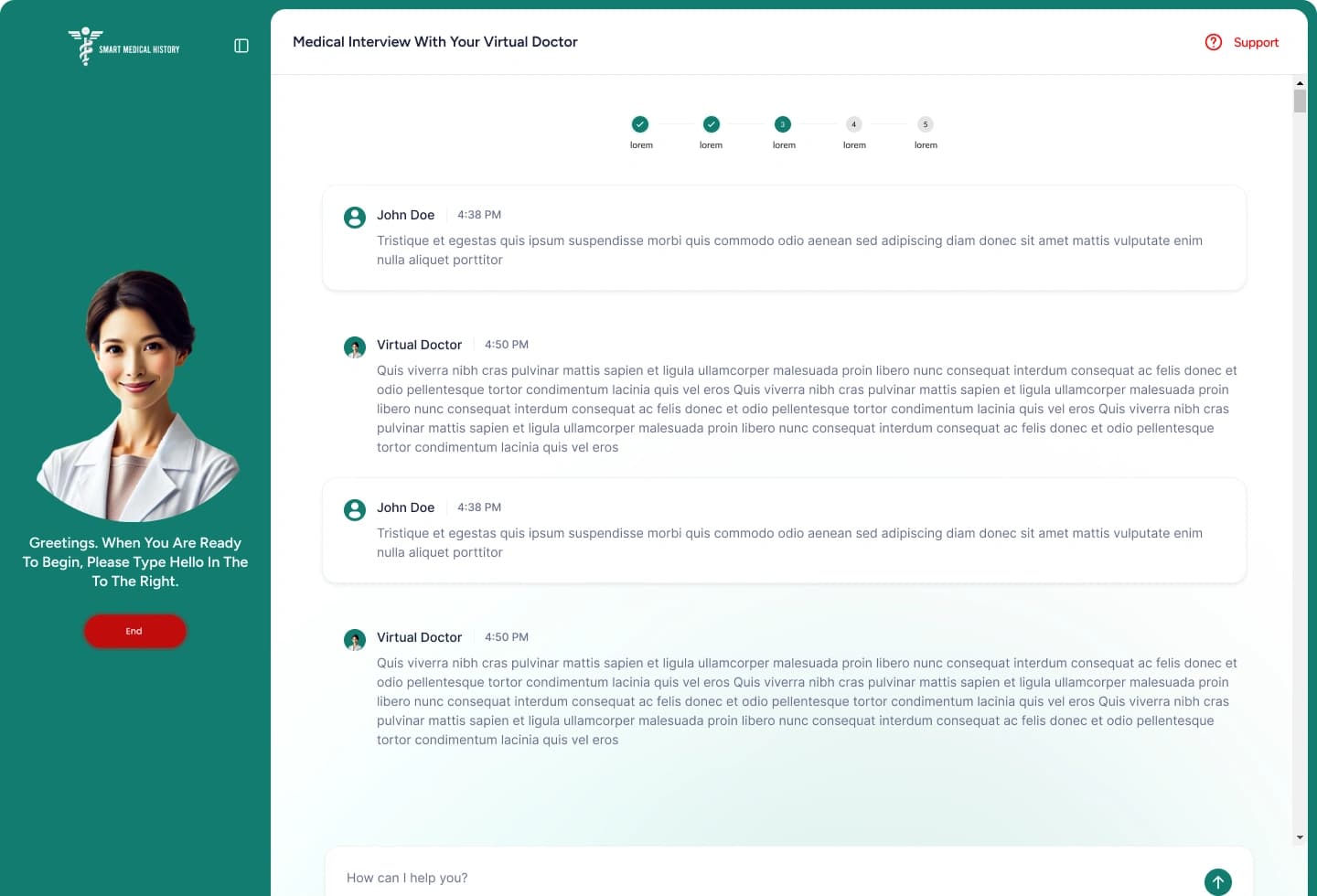
Questions come one at a time, in the patient’s own language, with a bar showing how much is left. They can stop halfway, close the tab, and carry on later from any device.
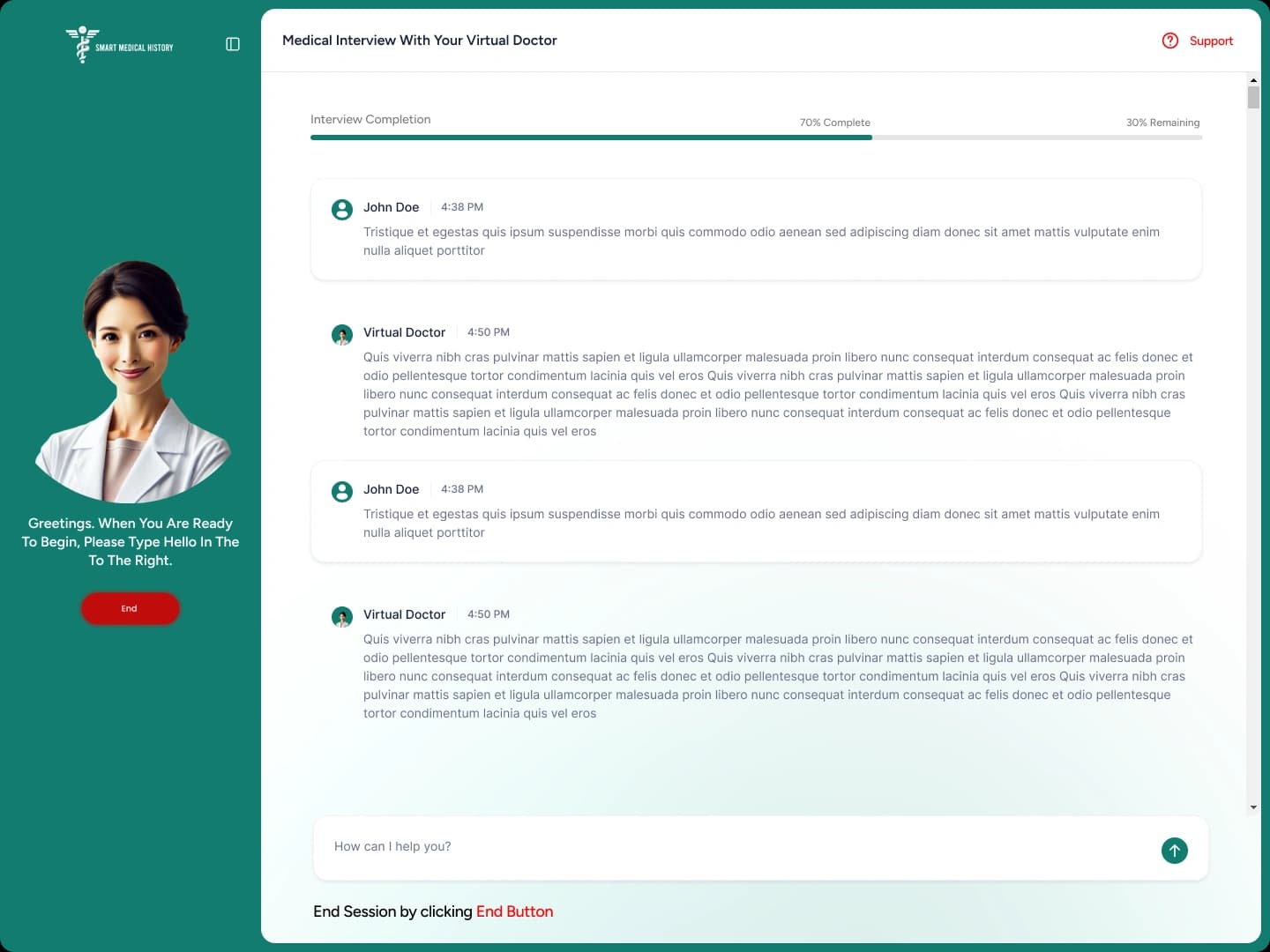
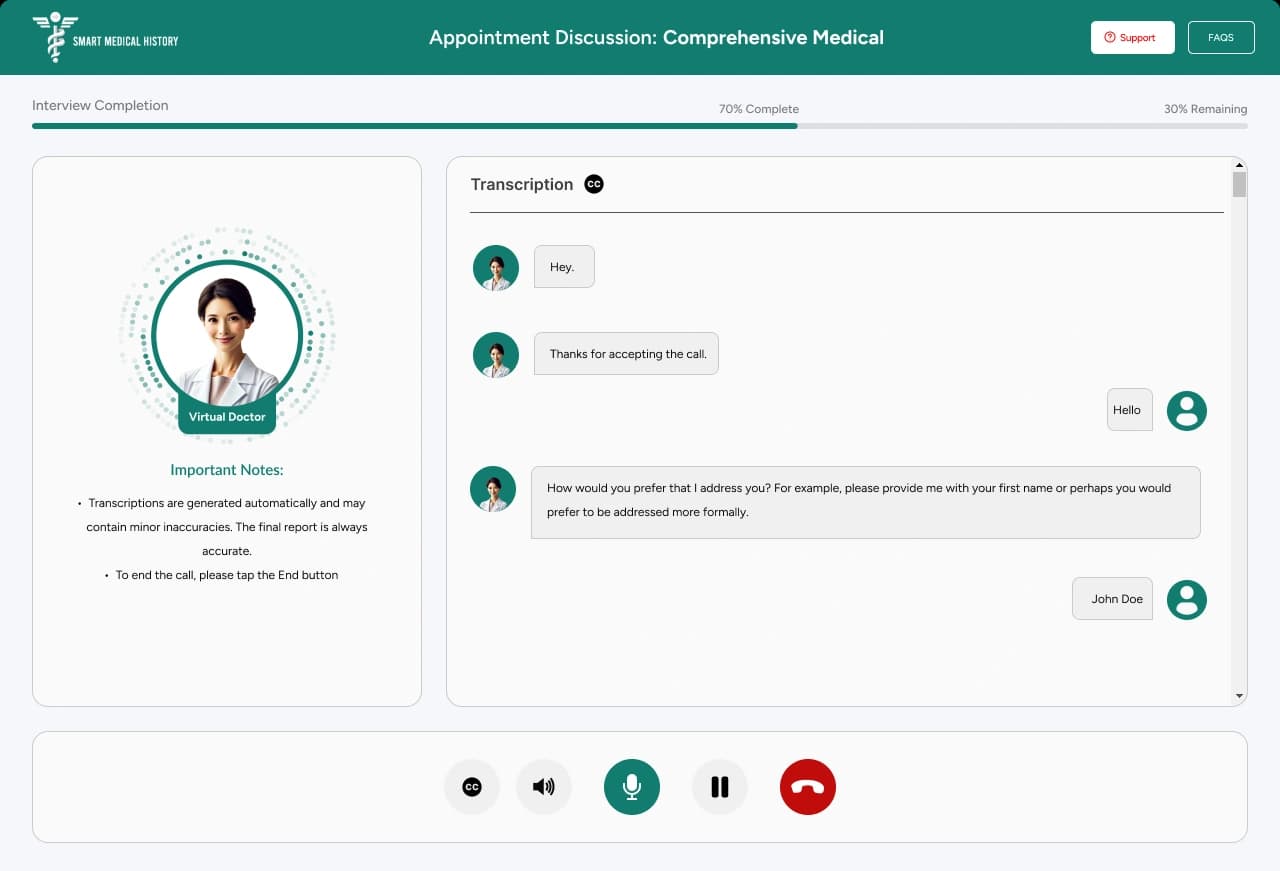
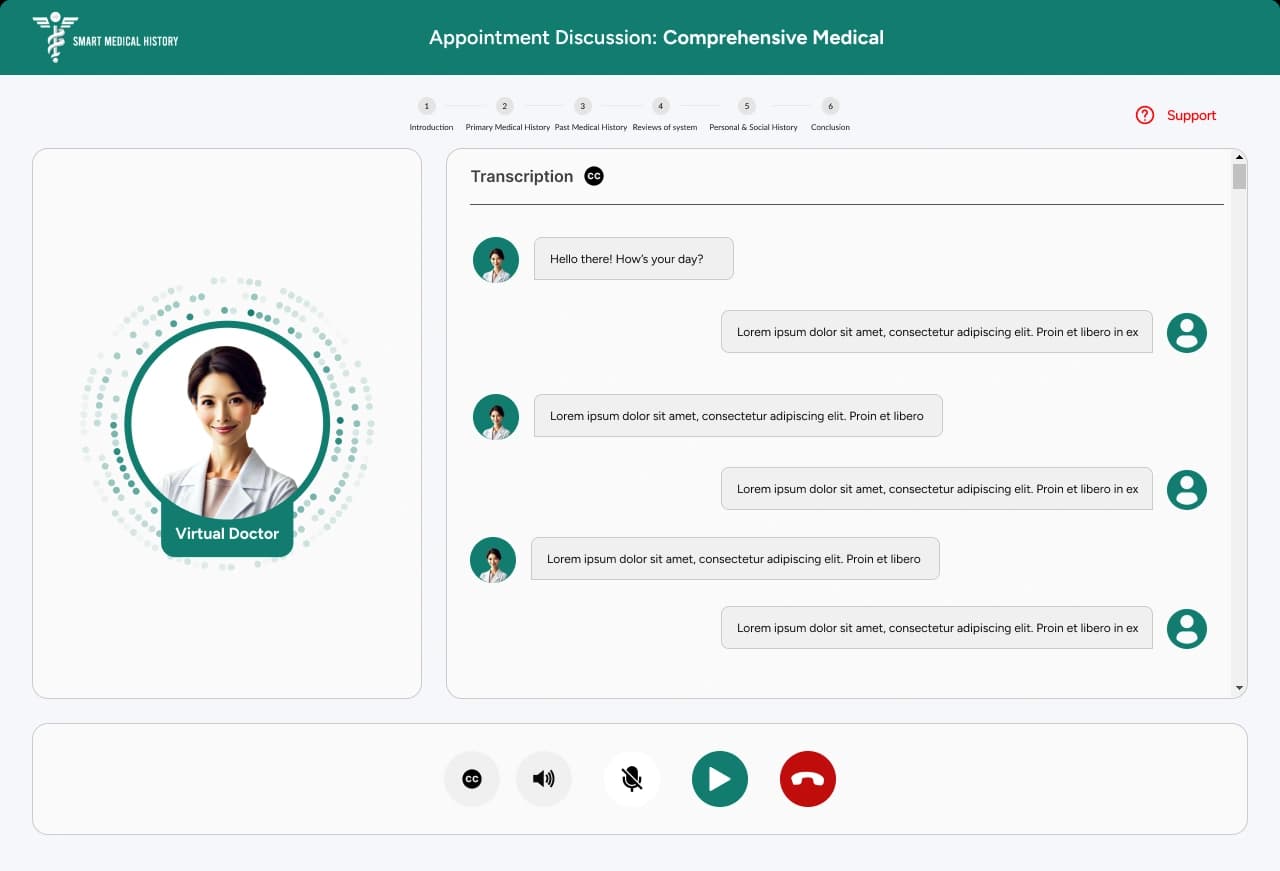
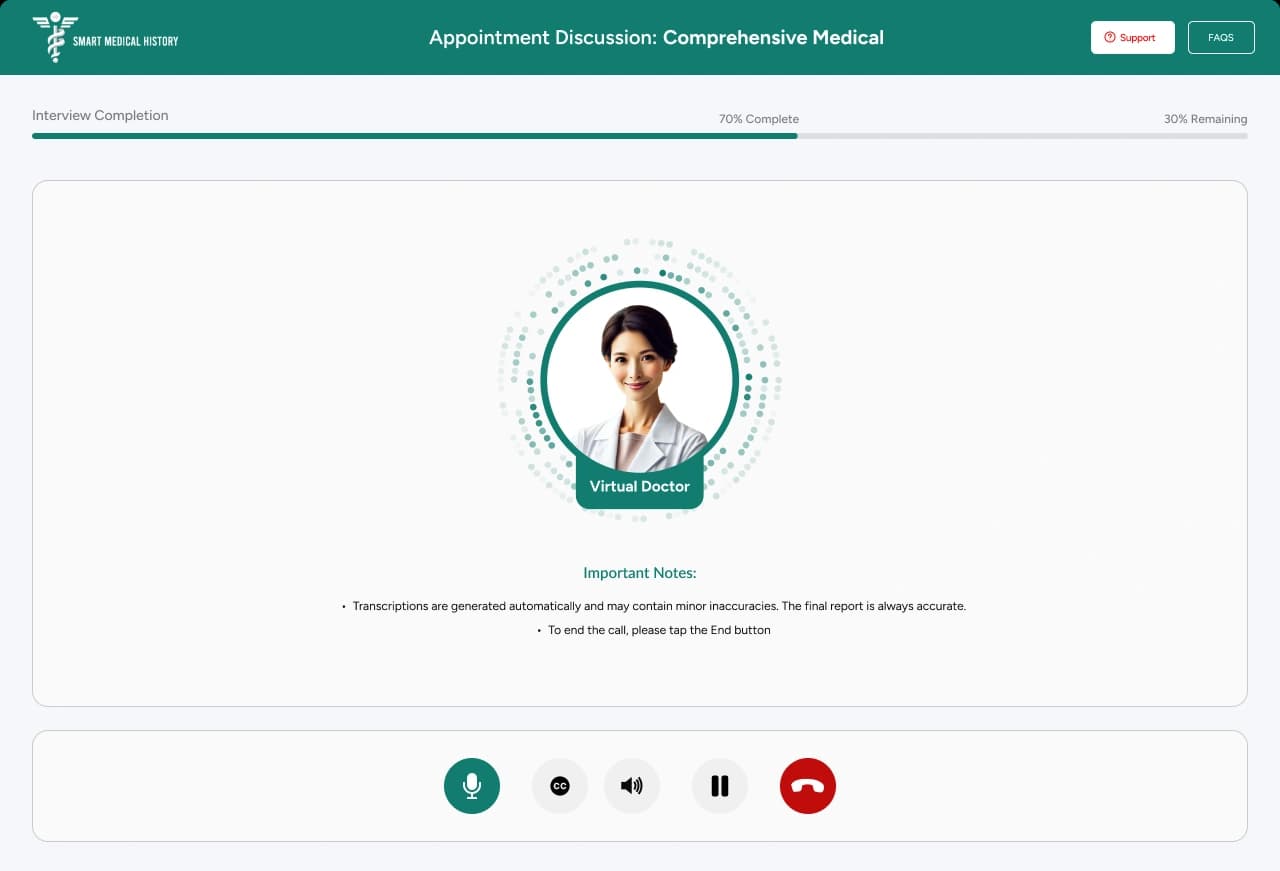
Patients who would never type a paragraph will happily answer out loud. Their words appear on screen as they speak, and they can pause the call and pick it up again, or reconnect with a fresh code if the line drops.
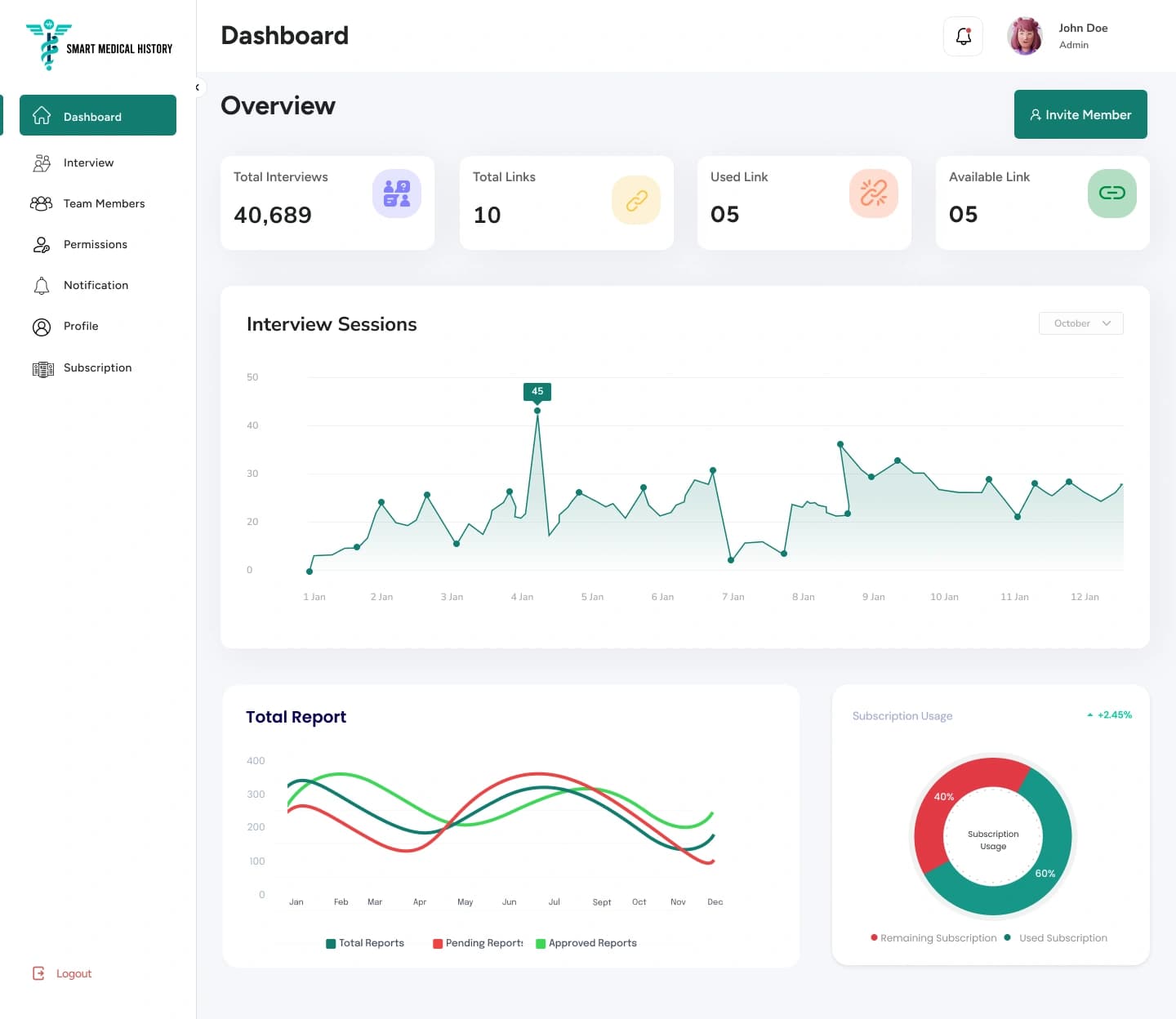
Staff see every interview they sent and where it stands: waiting, in progress, finished, or missed. The doctor it belongs to reads the report, adds notes, and marks it reviewed.
The practice decides who can see what, watches how many interviews it has left, and can change the questions patients are asked, with a saved copy of every earlier version.
The rest of the specified feature set, on the same workflow.
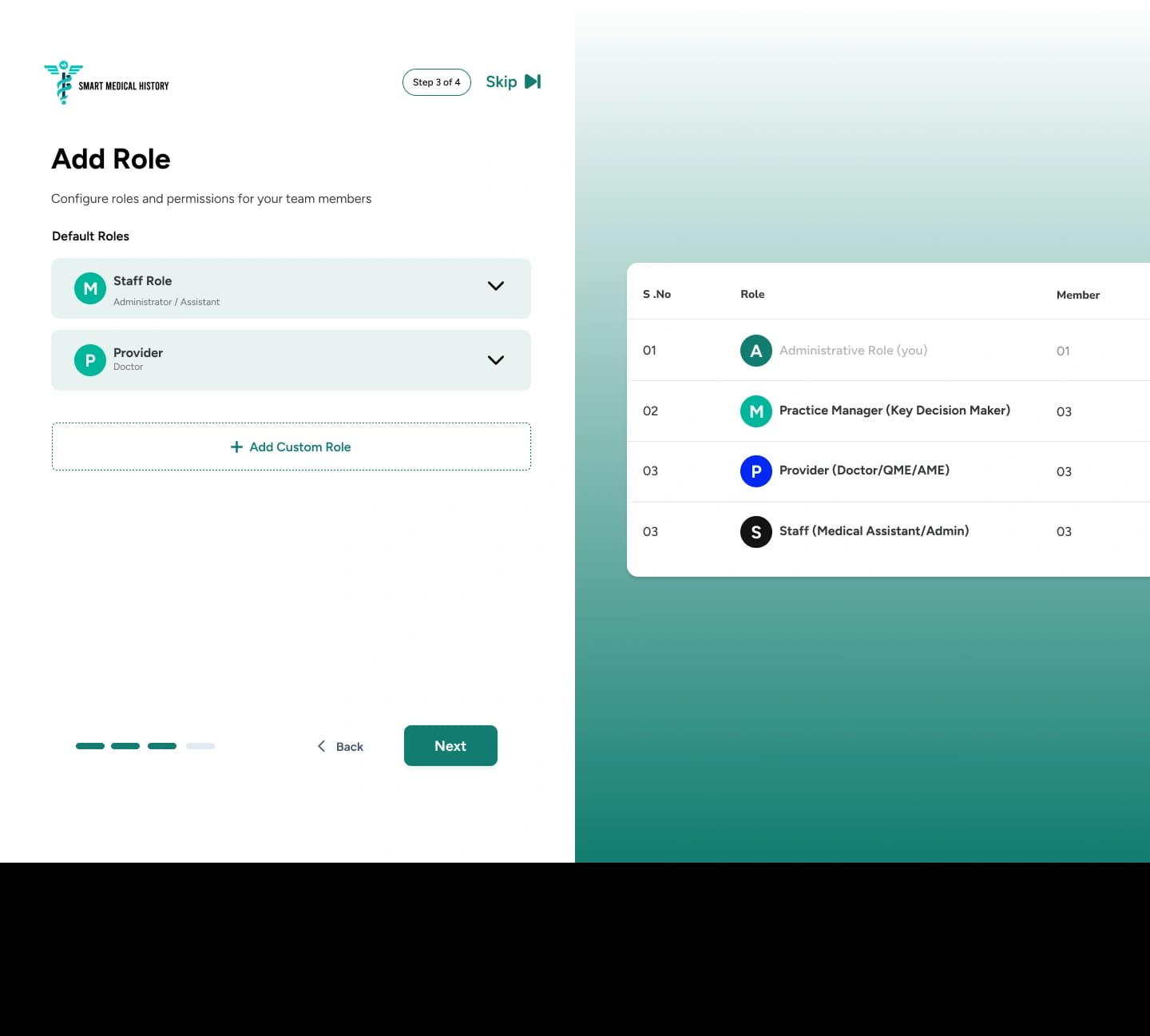
Practice manager, staff, and doctor come ready to use, and a practice can add its own roles with access set area by area.
Standard wording for each interview type, editable before it goes out, saved for next time, and resendable if it fails.
How many interviews each person has, has used, and has left, plus the same totals for the whole organization.
Password or Microsoft sign-in, then a one-time code, on every login, for every doctor and admin.
Different interview types, each scheduled in the patient’s own language and counted by language for reporting.
Every version of the interview questions is saved, set per practice, and can be put back the way it was.
Every session ends by asking the patient how it went, so the practice sees satisfaction it never had on paper.
Monthly interview allowances with time-limited rollover, extra capacity when needed, and contracted volumes for larger networks.
Interviews sent, reports completed, reports reviewed, and patients still to start, plus interview activity over a date range you choose.
Kodexo Labs built a separate admin console to set up new practices, manage billing and link allowances, and govern the interview questions.
The product
The patient's side of the product, in its three states.
Client review · Clutch-verified
“They’re committed to accomplishing tasks with a focus on customer service and excellence.”
Kodexo Labs has met all expectations; the team delivers on time and manages the project seamlessly. They respond promptly to needs and communicate effectively through virtual meetings, Google Chat, and WhatsApp. Overall, they’re highly passionate about the project and excel in customer service.
out of 5 on Clutch
Other industries · Hilton Head Island, South Carolina · 1 to 10 employees
Verified review
04 · How It Works
Five steps, left to right. Nobody types the history into a chart at any point.
Patient details, interview type, and the doctor it belongs to.
A one-time code by text or email. No account, no password.
Either way works, and both end in the same history.
Pause and resume
Written as spoken
Answers become one structured medical history.
Adds notes, marks it reviewed, downloads it as a document.
The practice sees it and resends.
The same link picks up where they left off.
The report does not open for you.
05 · Outcomes
The number that matters is 18 minutes: the charting time that disappears from every single interview. Everything else follows from it.
reclaimed from manual charting, every time
of staff time recovered across 493 interviews
the caseload, at the same staffing level
fewer clarification calls and repeat interviews
completion rate versus a manual intake form
providers live, AI-powered interviews completed
FAQ
The questions that come up in almost every first call about patient-facing AI.
They do when there is nothing to sign up for. A link, a one-time code, a visible progress bar, and the freedom to stop and come back is what moved completion up 12 points here.
Twenty minutes with a senior engineer who has shipped HIPAA-compliant patient-facing AI. Bring the workflow, leave with a straight answer on scope and compliance.
Across 25+ industries
Across every engagement
Elite AI Firm designation
Related work


