
01
Performance Swung Wildly and Nobody Knew Why
The same campaign, the same offer, and one agent closed while another did not. There was no way to see what separated them.
The cost · a whole team coached on guesswork
Case Study · Sales and Support Call Performance
Kodexo Labs built Response BPO a cloud platform that writes out every recorded call, finds the phrases and the tone the top agents keep winning with, turns those into a campaign script the whole team can use, and lays any struggling agent against that benchmark for coaching.
Better agent performance across the campaign
Less manager time spent coaching
More calls resolved on the first contact
The script it wrote
01 · Overview
A manager sets up a campaign, picks the agents who are doing well, and uploads their recent calls. The platform writes out every conversation, reads them side by side, and pulls out the phrases and the openings that keep landing.
From there it does two things. It writes a script the whole campaign can use, and it takes one struggling agent's calls and shows exactly where they drift away from what works. It runs in the cloud, and it was built to be sold on to other call centers later.
02 · The Problem
Nobody could say what the good ones were doing differently, so nobody could teach it. The specification names four problems, all of them expensive.

The same campaign, the same offer, and one agent closed while another did not. There was no way to see what separated them.
The cost · a whole team coached on guesswork
A manager sat with a headset and a notepad, one call at a time. It took days, it covered a fraction of the calls, and it could not keep up with the team.
The cost · days of manager time, a fraction of the calls
What the best agent said and how they handled pushback stayed in their head. Nothing turned it into a script the next hire could pick up.
The cost · every new hire started from zero
Tone carries a call as much as wording does, and there was no record of it. Coaching stopped at what was said.
The cost · half the conversation went unreviewed
The same campaign, the same offer, and one agent closed while another did not. There was no way to see what separated them.
The cost · a whole team coached on guesswork
A manager sat with a headset and a notepad, one call at a time. It took days, it covered a fraction of the calls, and it could not keep up with the team.
The cost · days of manager time, a fraction of the calls
What the best agent said and how they handled pushback stayed in their head. Nothing turned it into a script the next hire could pick up.
The cost · every new hire started from zero
Tone carries a call as much as wording does, and there was no record of it. Coaching stopped at what was said.
The cost · half the conversation went unreviewed
03 · How It Works
One pipeline runs on the top performers to build the benchmark. A second track runs any single struggling agent against it.
MP3, WAV, M4A · Up to 500 MB · 128 kbps minimum
Track A · Build the Benchmark
STEP 01
STEP 02
STEP 03
STEP 04
STEP 01
STEP 02
STEP 03
STEP 04
Output
Output
Track B · Coach One Agent Against It
If a comparison has no benchmark to sit against, or the audio is too poor to read, the system says so and points to what is missing instead of returning an empty report.
04 · The Solution
Each screen does one thing. Together they take a folder of old recordings and hand back a script the team can use tomorrow.
Dashboard
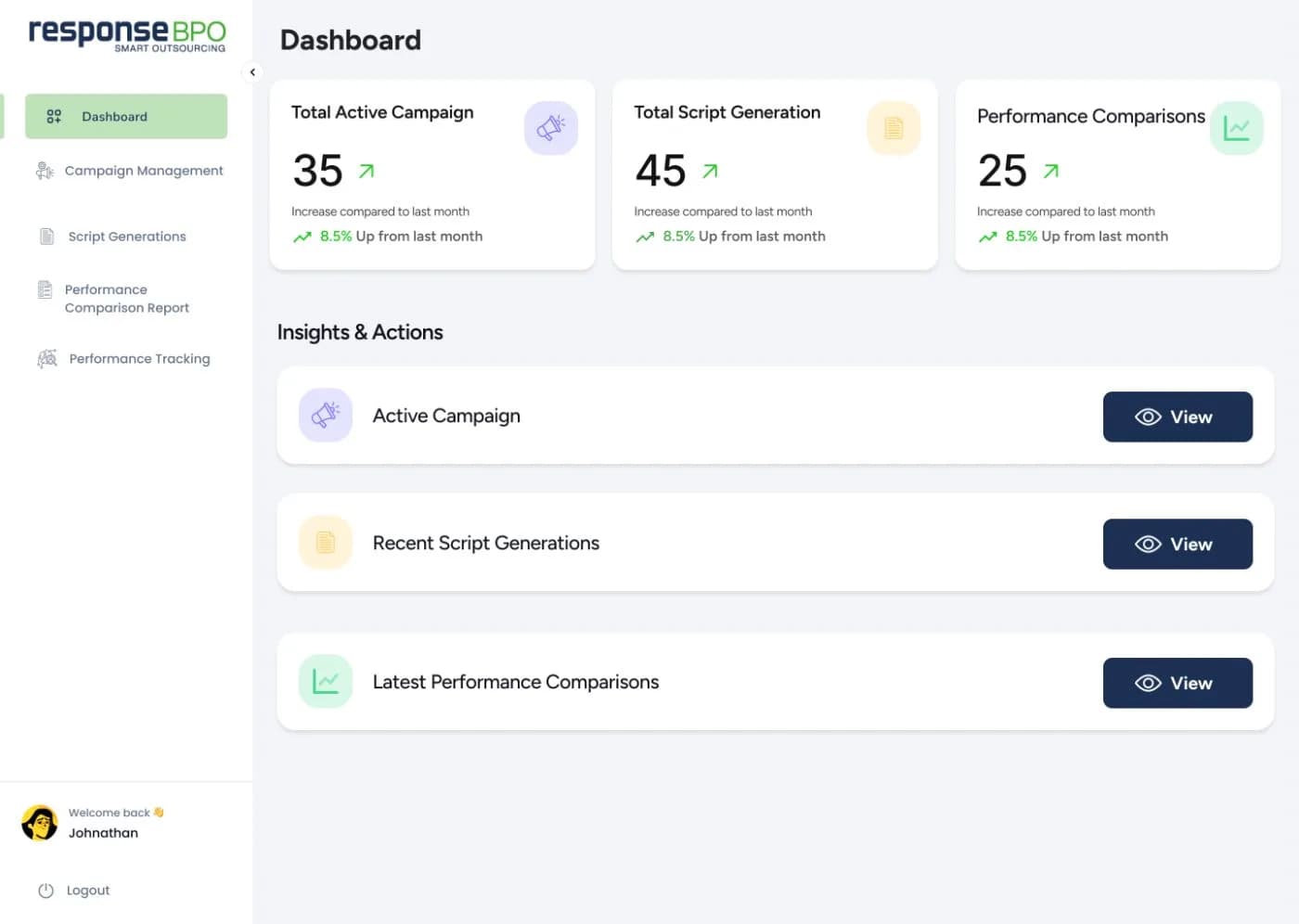
You log in and see what is happening: the campaigns running now, the scripts made recently, and the reports waiting to be read.
Running campaigns, new scripts, and new reports, all on one page
A button next to each one so you can act without hunting for it
Campaign Workspace
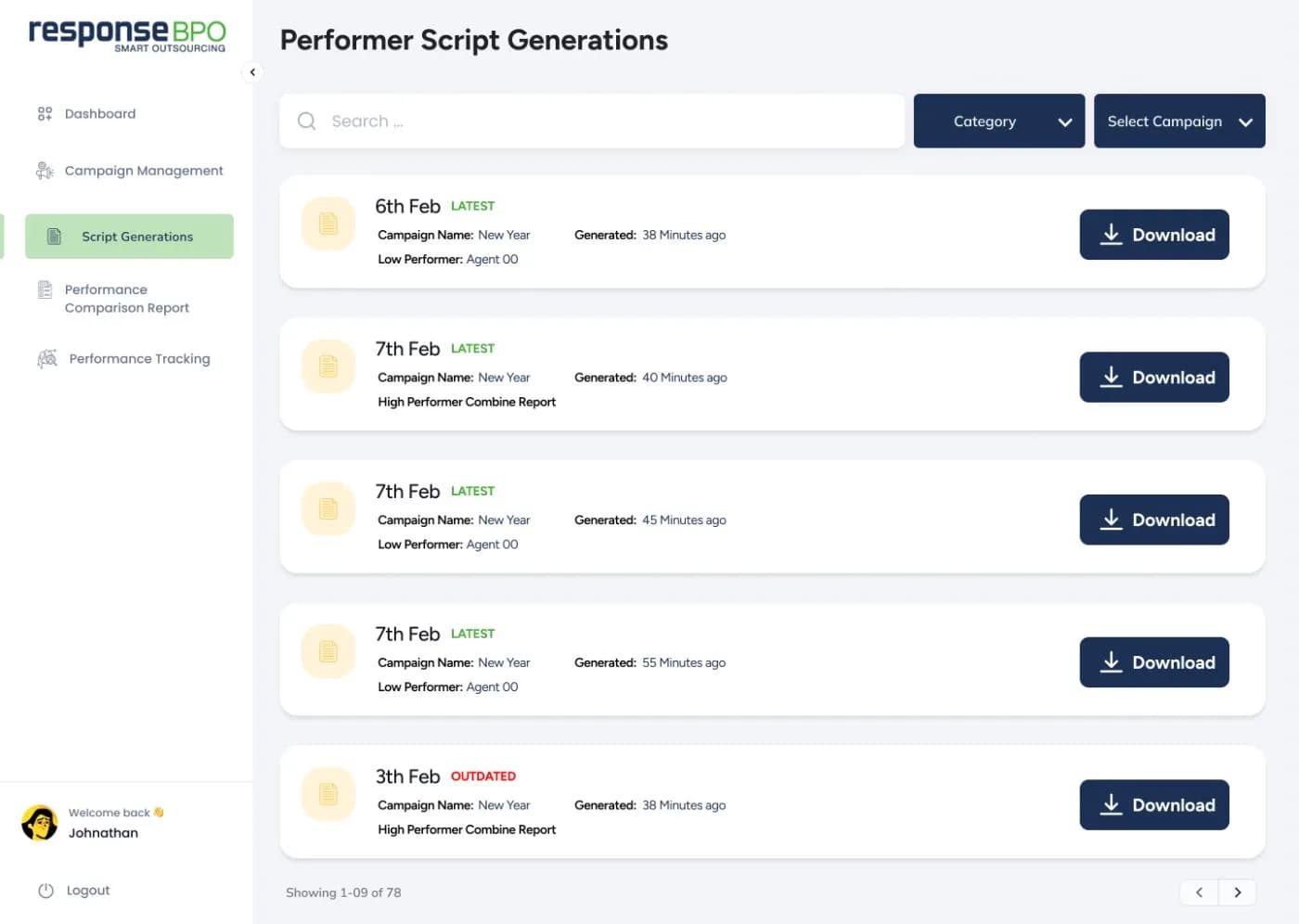
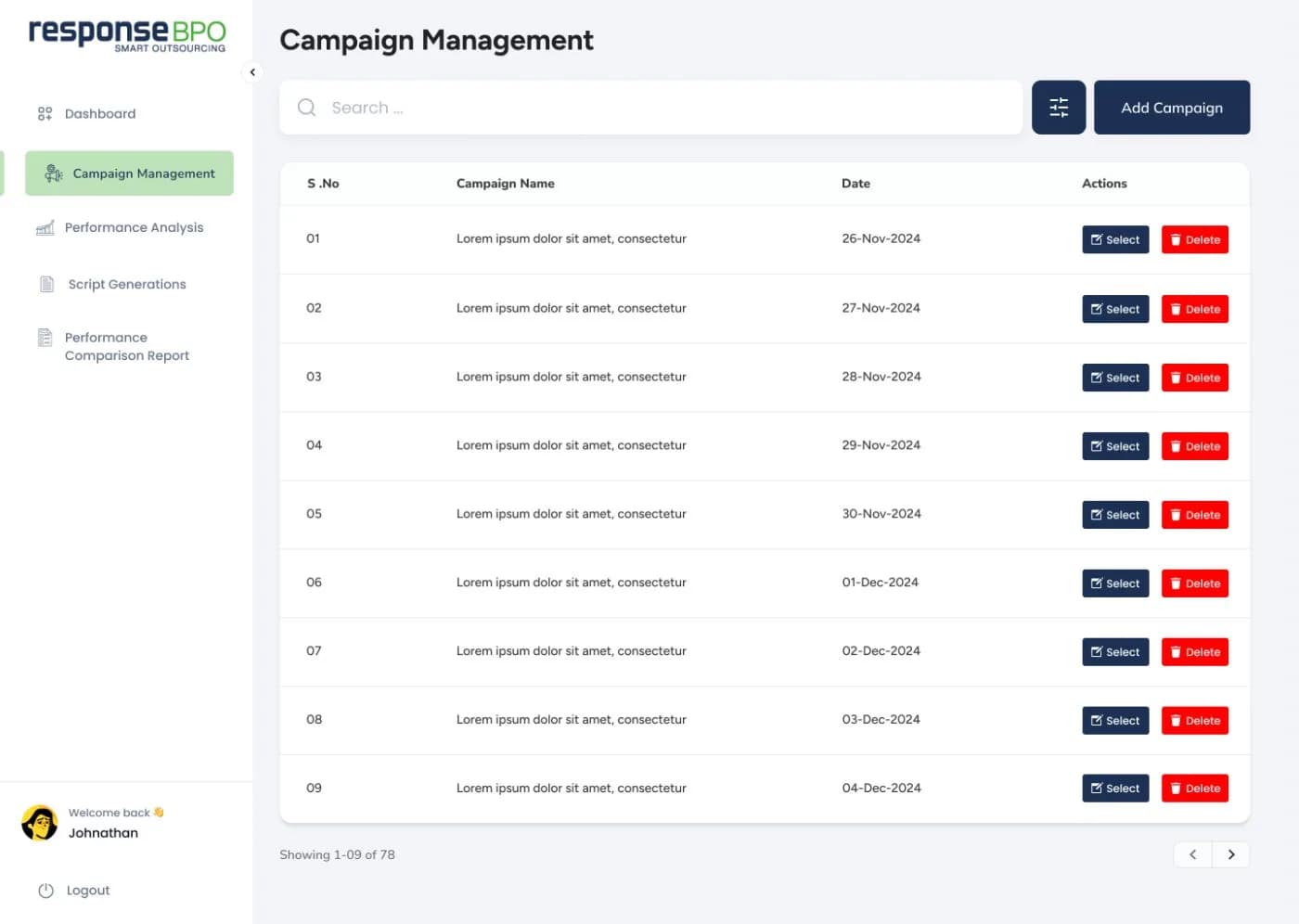
A campaign is set up once, with a name, a short description, and the people on it. After that, everything about that campaign lives in one place.
Your best agents and the ones who are behind, side by side
Make a script or run a comparison without leaving the page
Call Library
You upload each agent's recordings and the system keeps them together under that agent's name, ready to be read.
Ordinary call recordings, up to 500 MB each
50 to 100 calls each, from up to ten of your best agents
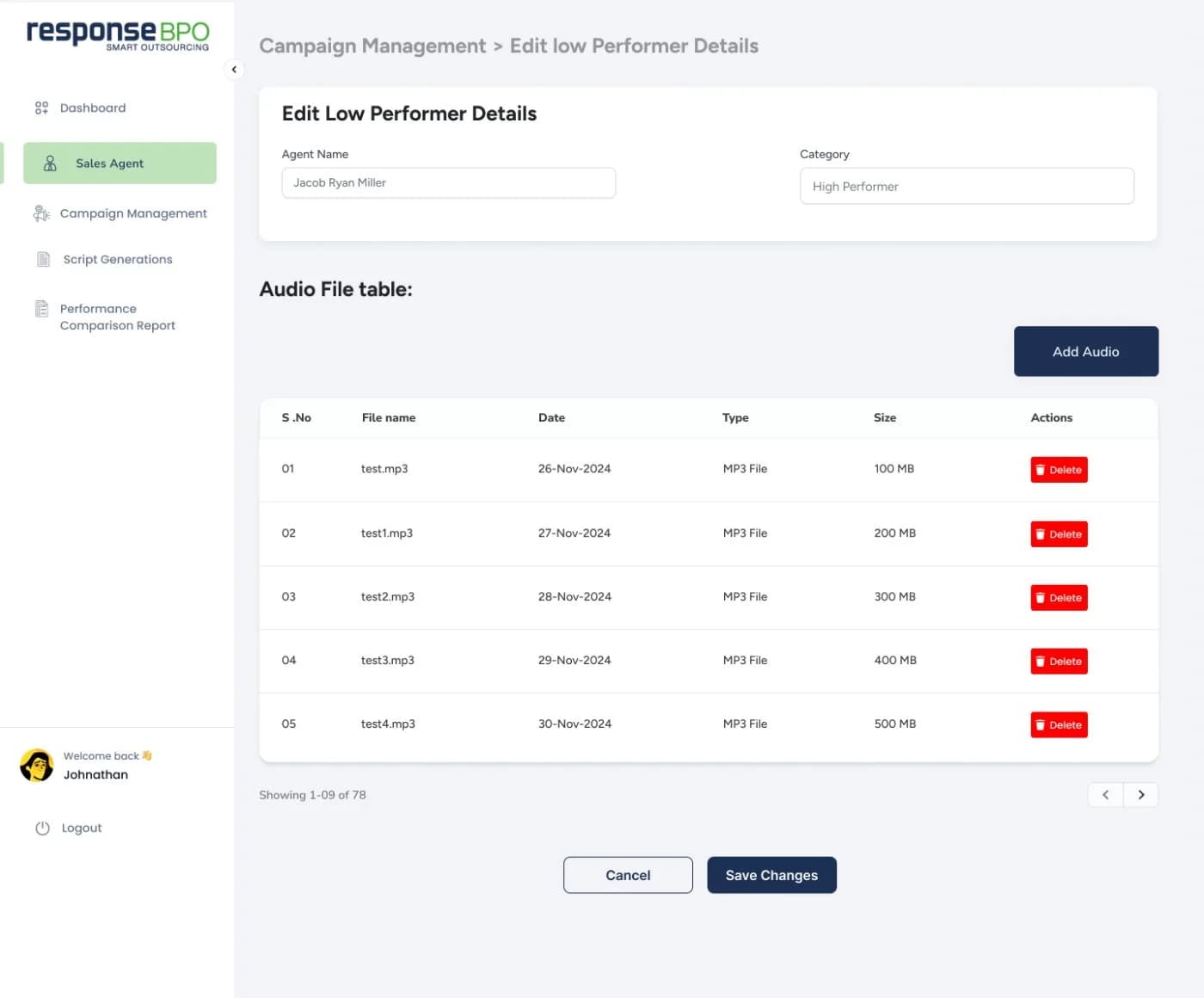
Script Generation
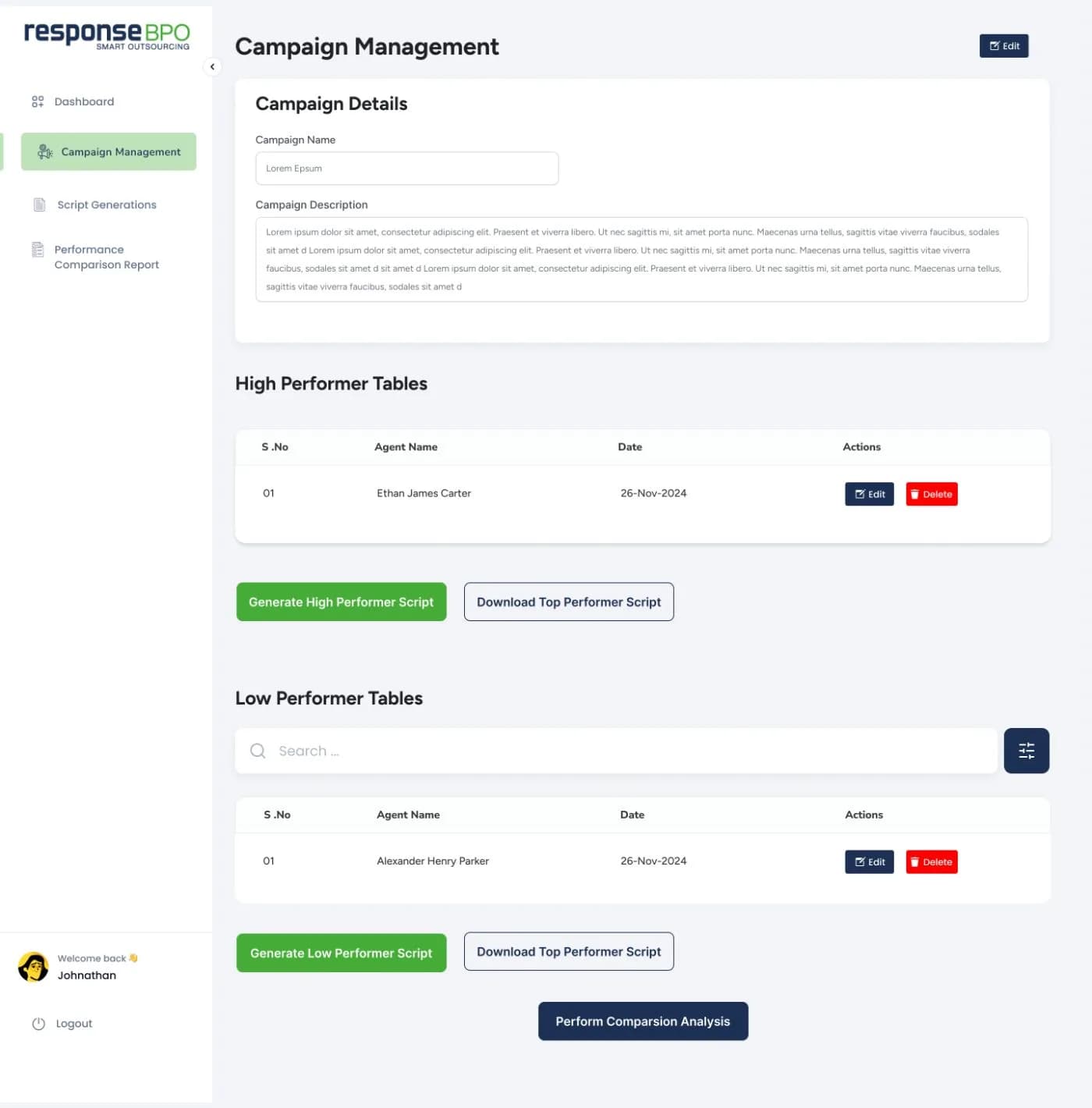
The system reads across your best agents' conversations, picks out the phrases and the ways of putting things that keep coming up in the ones that go well, and writes them into one script for the campaign.
Read it on screen, save it, or download it for the floor
It also shows what it spotted, so you can see where the script came from
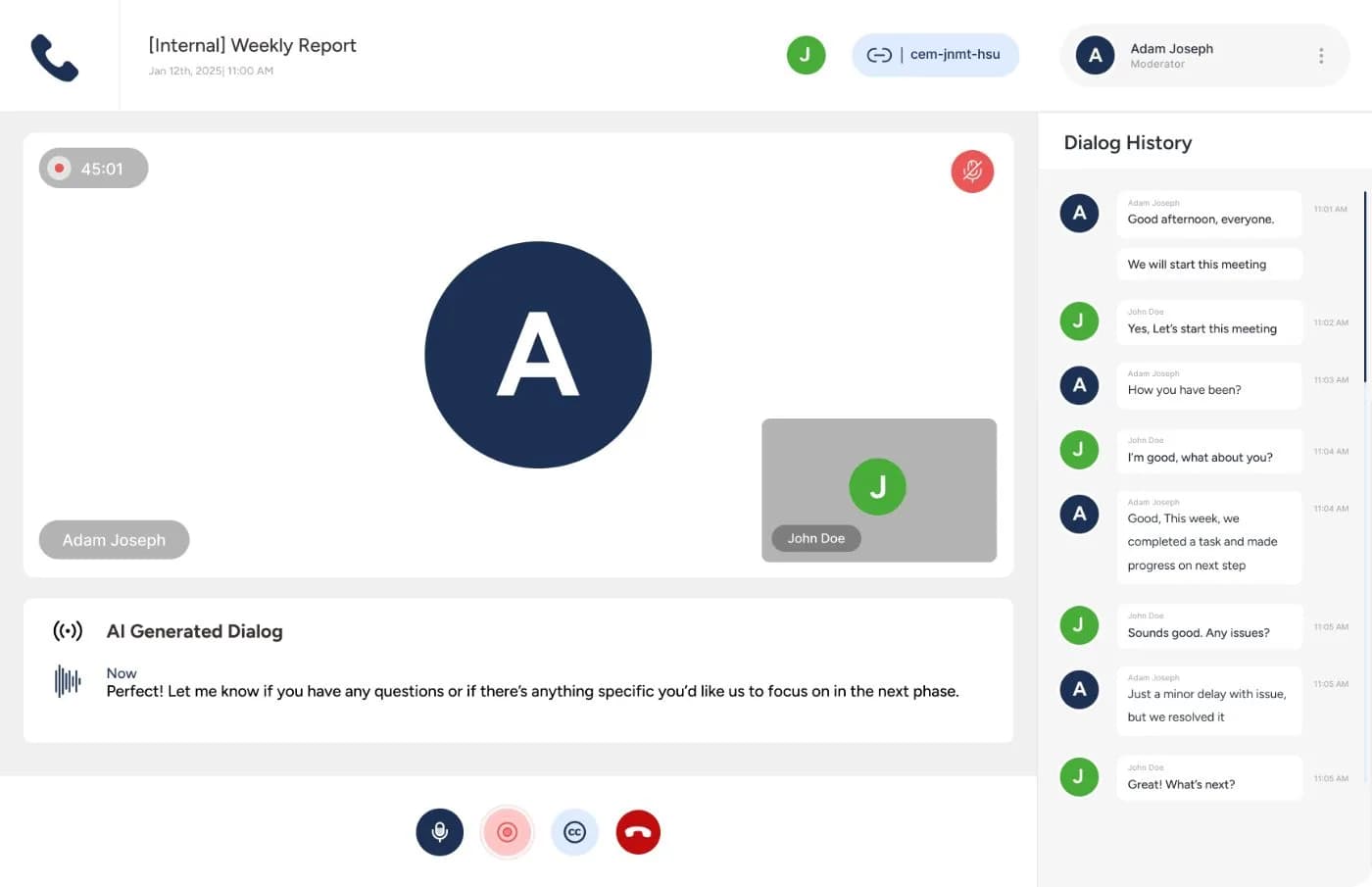
Transcription and Tone
Each recording is turned into text, then that text is read for how the call felt. Those two things are what the rest of the system works from.
A full written record of the call, line by line
Whether the agent and the customer sounded positive, flat, or unhappy, and when that mattered
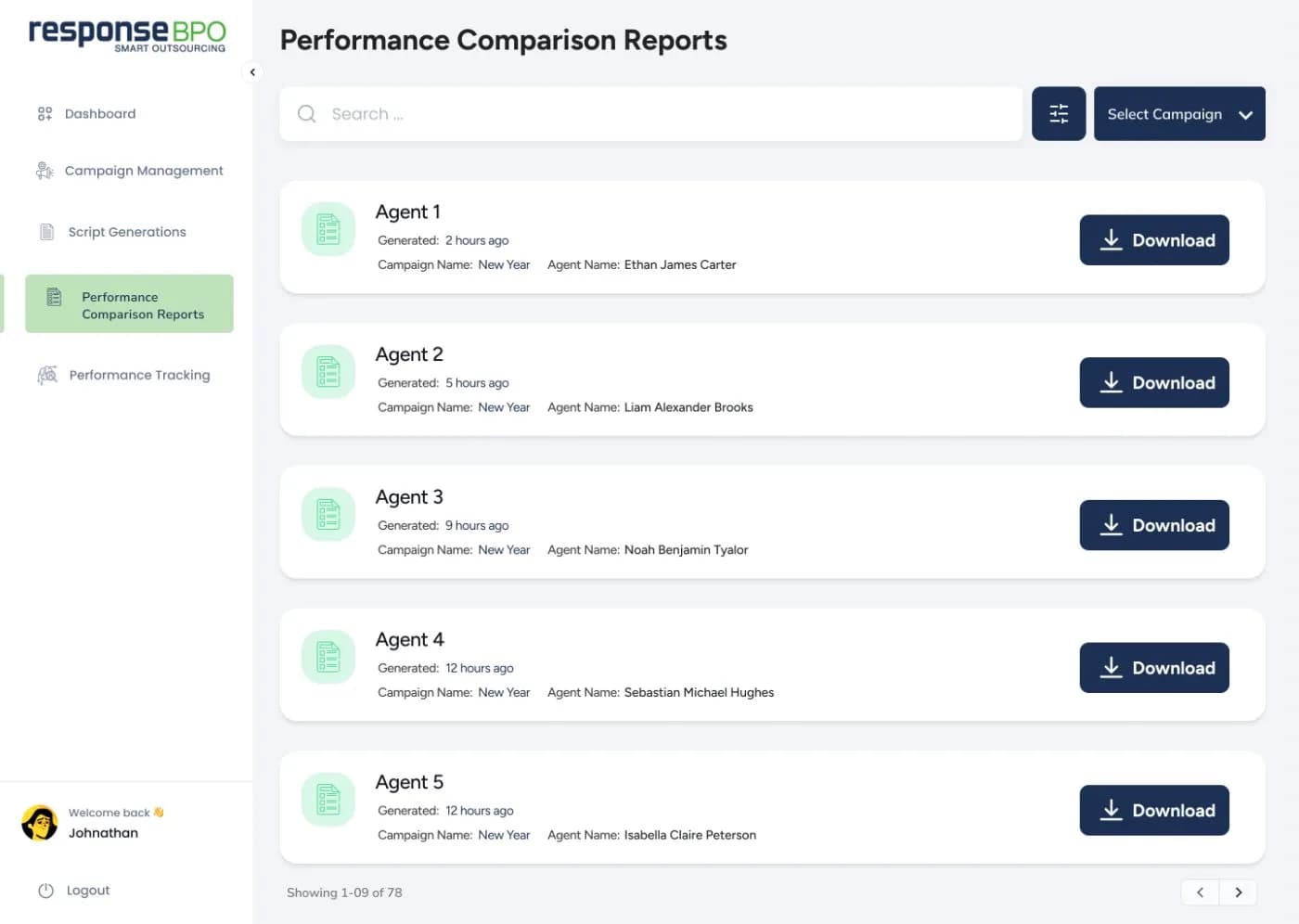
Coaching Reports
Choose one agent who is struggling, add their calls, and the system puts them next to your best agents to show where they go off track.
Where their words, tone, and pacing differ from your best agents
What your best agents said at the same point in the call
Dashboard
You log in and see what is happening: the campaigns running now, the scripts made recently, and the reports waiting to be read.
Running campaigns, new scripts, and new reports, all on one page
A button next to each one so you can act without hunting for it
Campaign Workspace
A campaign is set up once, with a name, a short description, and the people on it. After that, everything about that campaign lives in one place.
Your best agents and the ones who are behind, side by side
Make a script or run a comparison without leaving the page
Call Library
You upload each agent's recordings and the system keeps them together under that agent's name, ready to be read.
Ordinary call recordings, up to 500 MB each
50 to 100 calls each, from up to ten of your best agents
Script Generation
The system reads across your best agents' conversations, picks out the phrases and the ways of putting things that keep coming up in the ones that go well, and writes them into one script for the campaign.
Read it on screen, save it, or download it for the floor
It also shows what it spotted, so you can see where the script came from
Transcription and Tone
Each recording is turned into text, then that text is read for how the call felt. Those two things are what the rest of the system works from.
A full written record of the call, line by line
Whether the agent and the customer sounded positive, flat, or unhappy, and when that mattered
Coaching Reports
Choose one agent who is struggling, add their calls, and the system puts them next to your best agents to show where they go off track.
Where their words, tone, and pacing differ from your best agents
What your best agents said at the same point in the call
05 · Outcomes
The first three figures were confirmed by the project manager on this engagement. The rest are modelled from those results and the specified feature set.
agent performance across the campaign
time managers spend coaching
calls resolved on the first contact
back per campaign cycle that used to go on listening to calls
faster to full competency with a proven script on day one
saved per agent per month in manager time
calls a month it can process before more engineering is needed
of agents actually use the script generated for them
fewer customers calling back about the same thing
FAQ
The questions that come up in almost every conversation about analyzing calls at scale.
The specification sets 50 to 100 calls each, from up to ten of your best agents. If there is not enough repetition in what was uploaded, the system says so and asks for more calls rather than inventing a pattern.
MP3, WAV, and M4A, up to 500 MB per file, at 128 kbps or better. Anything outside that is refused on upload, and audio too poor to read cleanly triggers a prompt to re-upload.
Transcription was specified to hold up across the range of accents and dialects that turn up on sales and support calls, because everything downstream reads the transcript rather than the audio.
The system reads the transcript for emotional cues and returns a positive, neutral, or negative read for the call, along with the moments where tone looks likely to have moved the outcome. It is a coaching aid for a manager, not a score to sanction anyone with.
Comparison runs one agent at a time against the top performer benchmark, which is what keeps the coaching notes specific to that person. The benchmark itself can be built from several top agents together.
There is no password to share around the floor. A manager enters their work email and the system sends them a single-use sign-in link, which is what the specification calls for.
Each campaign builds its own benchmark and its own script, so a new offer starts fresh instead of inheriting the last one. The platform was built for internal campaigns first and designed so it can be extended to other call centers.
Twenty minutes with the team that shipped this. Bring how you coach today, and leave with a straight answer on what it would take.
Products Shipped
Across 25+ industries
Client Retention
Across every engagement
Rated on Clutch
Elite AI Firm designation
Related work


